Bluebonnet Math questions are now automatically scorable
Problem-Attic has more than 14,000 questions from the Texas Bluebonnet mathematics curriculum. (If you’re a Texas teacher and don’t have access to them, let us know; they’re freely available.) Briefly, we converted the questions from the student lessons into a database format, making them individually selectable and re-formattable. They can be mixed with questions from other sources, such as STAAR released tests, and delivered to students in a variety of ways.
Now we’ve gone even further. We’ve made about 6400 of the Bluebonnet math questions automatically scorable. Students can answer the questions online and you can see the results on the Score tab in Problem-Attic. This is a convenient way to embed assessments into your lessons and to measure student progress. The questions will work for self-paced courses, quizzes, bellringers, exit tickets, and more.
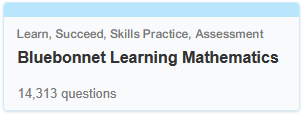
Original Bluebonnet Question Bank
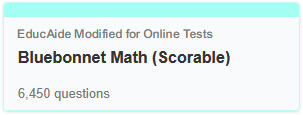
Republished Bluebonnet with Scorable Questions
Here’s a sample online test showing 20 questions for grades 3–8 and high school math:
www.problem-attic.com/test/vqa66jak
Organization
The scorable questions are separated into a new bank in Problem-Attic, so you can find them without any special tags or filtering.
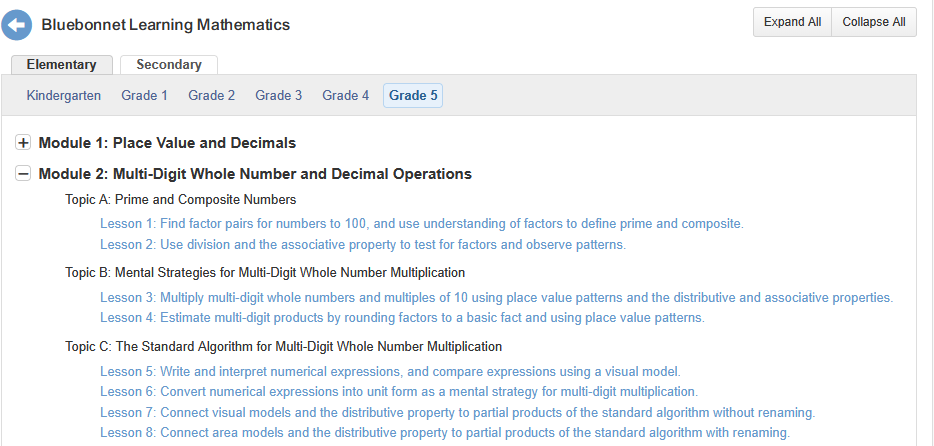
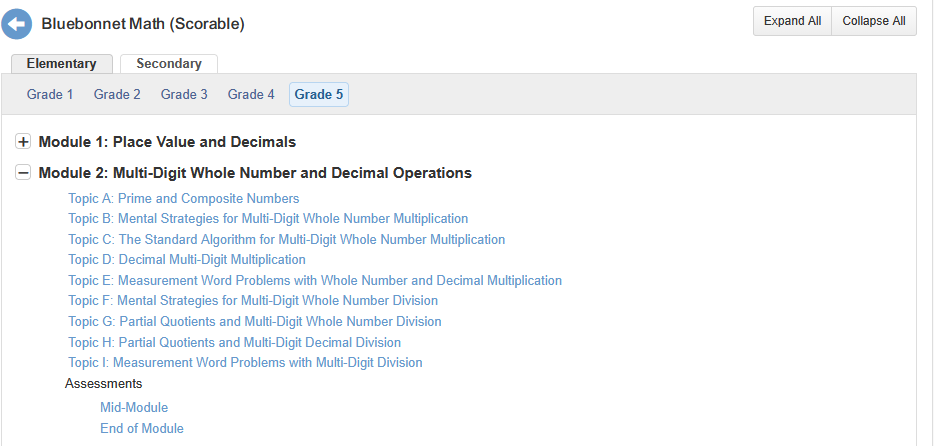
For the scorable questions, we had to simplify the organizational structure just a little. This was necessary because some lessons don’t have questions which can be scored automatically—they’re all tasks or hands-on activities—or the questions are in a worksheet and it doesn’t make sense to break them up. As a result, the grouping is done by grade, module and topic. Lesson information is shown at the top of each thumbnail, so you can still see exactly where questions fit into the curriculum. (The lesson information, shown in blue, doesn’t show up when questions are selected and re-formatted.)
These two screenshots show the difference in organization between the two banks:
This PDF document shows the complete contents of the Scorable bank, including the number of questions in each category:
Texas Bluebonnet Math (Scorable) Table of Contents
Question Types
The new bank has a wide variety of question types. Many have a field where students enter a number, simple text string or math formula. In Problem-Attic’s editor this is called an “answer field’. As an option, for numeric values and math formulas, students can be shown a virtual or onscreen keyboard for entering their answers. You’ll see this if you go through the sample online test (link above).
Also included in the bank are the Bluebonnet assessment questions, which are almost all multiple-choice and multi-select. The remaining questions are interactive, or what are commonly referred to as technology enhanced items (TEIs). This includes drag-and-drop, menus, associative tables (grid match arrays), clickable areas (hotspots), graphs and number lines, and dot-connect.
There are also multi-part questions which are scorable. These are
usually labeled as Part A, Part B., etc. In rare cases, one
of the parts may ask for an explanation or for students to justify their
answer. We call these essay answers. While they do involve
manual scoring (see this
help
page), we decided to include them because other parts of the
question are automatically scorable. Also,
Overlap
To make questions scorable, we had to employ a variety of techniques. The most common was to add answer fields. These give students a place to type an answer (or enter it using a mouse or virtual keyboard) when taking an online test, instead of handwriting it on paper. You can learn more about this technique by going to Help menu > Question Types > Answer Fields.
One characteristic of an answer field is that it looks pretty much the same online as it does in print. Typically there will be a blank line or empty table cell and the student will be instructed to “fill in the blank” or “write your answer in the box”. In such cases, we left the wording of the question alone and simply added the answer field to make it scorable.
One implication of what we just wrote: there is overlap between the Bluebonnet bank with the original (published) questions and the new bank. Many of the questions do “double duty”. You can select them from either bank, add them to a document, and download and print the PDF. Then students will write answers normally on paper. Or, if you’ve chosen all scorable questions, you can turn that same document into an online test. After students submit their answers, you can see results on the Score tab in Problem-Attic.
For about 15% of the Bluebonnet questions we had to do some re-writing
to make them scorable. We preserved as much of the original wording as
we could while adding interactive elements.
💡 Pro Tips
When browsing the Problem-Attic database, you can tell which questions are automatically scorable by looking at the icons on the thumbnails. You can also use the Filter to narrow down the categories to certain types of questions.
 multiple-choice or multi-select
 short answer: text, numeric or math formula
 other interactive type
There’s a way to see the overlap between the bank with original Bluebonnet questions and the Scorable bank. On a thumbnail, click the icon with the “i” (for information). If there’s overlap, you’ll see “This question also appears in...” You can jump there by clicking the link.
Export
All of the Bluebonnet scorable questions will work on a Problem-Attic
online test. Some portion will
Currently, the following question types will work in a Google quiz form or when exported to an LMS like Canvas or Schoology:
- multiple-choice
- multi-select
- short answer numeric
- short answer text (“fill-in-the blank”)
Problem-Attic will export other questions, but they will show up with essay- or long-answer fields. Practically speaking, they are not good candidates for export, or in the best case they will have to be scored manually.
Note: We are in the process of updating Problem-Attic so that more types of questions can be exported to an LMS and remain scorable. This includes matching, drag-and-drop, certain kinds of hot spots, and menus. Even then, because Problem-Attic supports such a large variety of question types, we won’t be able to make every question scorable in other programs. If you’re planning to do an export, you’ll have to be a little more deliberate when adding questions to your document.
Licensing
Problem-Attic makes available the
The Scorable bank is licensed differently. It is made available to teachers in Texas districts where all schools subscribe to Problem-Attic. We’ve done the licensing this way for a few reasons. First and most importantly, there’s no particular value to the bank without the online testing and export options that come with a subscription. Without those options, the Scorable bank is functionally the same as the bank with original Bluebonnet questions.
Also, we assume that teachers wanting to use the scorable questions are in district that has adopted the Bluebonnet curriculum. Then it will be possible to do common benchmark assessments and other kinds of sharing consistent with Problem-Attic’s Terms of Service.
If you go to the Plans menu in Problem-Attic you can learn more about school subscriptions. Please contact us for details about district-wide pricing or if have questions about licensing the scorable Bluebonnet questions.